Is HairChanger available on the App Store now?
Yes. HairChanger is live on the App Store for iPhone and can be downloaded from the button on this page.
HairChanger for iPhone
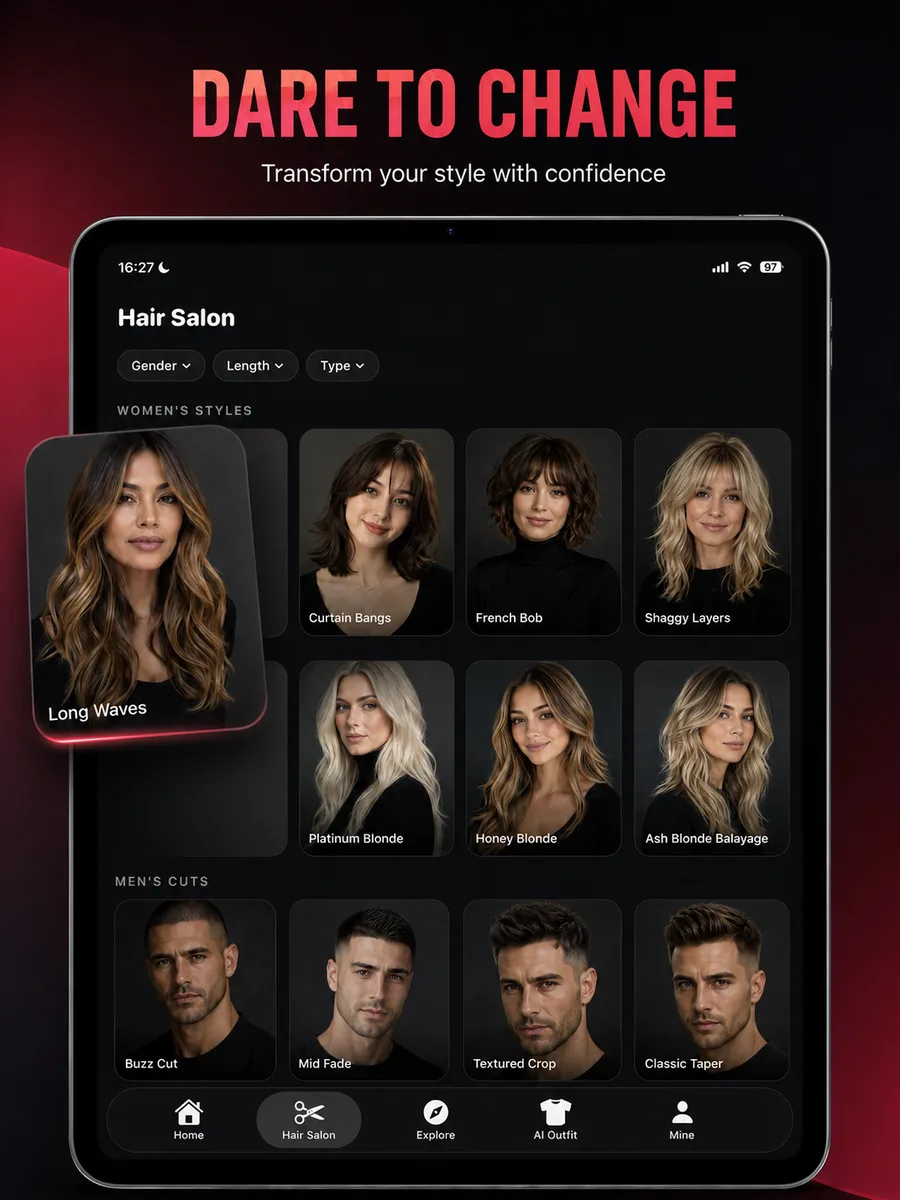
Preview haircuts, hair colors, beard styles, makeup, and face-shape suggestions from your own photo before you book the appointment.
HairChanger is available now as a free iPhone download on the App Store and requires iOS 17.0 or later.
Getting started
Free download on the App Store for iPhone running iOS 17.0 or later.
Take a new front or slight three-quarter photo, or choose one from your library.
Try haircuts, colors, beard shapes, makeup, and complete looks, then save the ones worth discussing.
Before your appointment
Explore hairstyle, color, face-shape, and consultation guides. They explain the choices represented in the app and the limits of a generated preview.
Frequently asked questions
Short answers to the practical questions people ask before trying a new look.
Yes. HairChanger is live on the App Store for iPhone and can be downloaded from the button on this page.
Yes. The app is a free download. Generation credits and any optional subscription terms are shown inside the app before you buy.
HairChanger runs on iPhone with iOS 17.0 or later. There is no Android or web version at the moment.
A clear, well-lit front or slight three-quarter photo of your face. You can take one in the app or pick an existing photo from your library.